How to register for and use the Direct Banking Service
-
-
STEP1
After opening an account
-
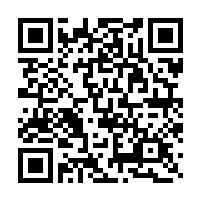
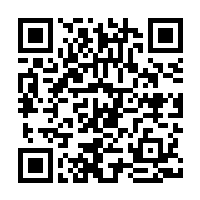
Please download the International Money Transfer App.
After that, configure the settings to use the app, and then register for the Direct Banking Service.
You can see how to set up the app and register for the service in the following video.
-
-
-
STEP2
Log on to the Direct Banking Service
-
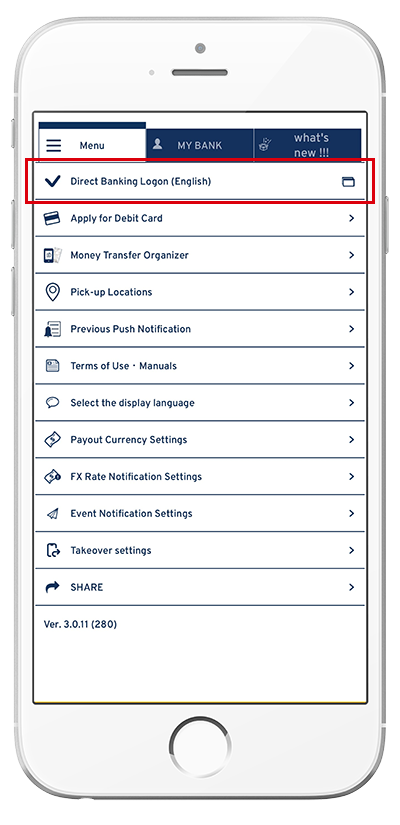
<To log on using the app>
Select "Direct Banking Logon (English)" on the menu.
<To log on via the website>
Open the logon screen for the Direct Banking Service.
Enter your registered "logon ID" and "logon password."- *Click the following button to open the logon screen.
After entering the logon ID and password, you need to perform authentication using the app.
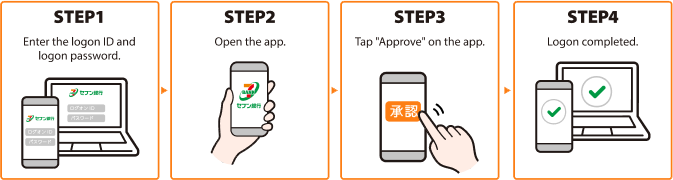
For more information on app authentication upon logon, clickhere.
-
-
-
STEP3
Conducting transactions via the Direct Banking Service
-
For your safety in using the Direct Banking Service, you need to perform app authentication (by entering a onetime password) when conducting a transaction.
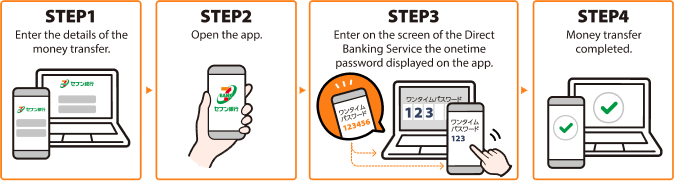
For more information on how to enter a onetime password, clickhere.
-