
Seven Bank Account Holders
Necessary procedures after opening an account (settings to use the app)
You need the International Money Transfer App to use the Seven Bank account services.
How to register for the International Money Transfer App
You need your cash card to register for the app. Please perform the procedures after you receive the cash card. If you do not have the app, download it.
SEVEN BANK Money Transfer


Check the video posted below and complete the procedures to use the International Money Transfer App and the Direct Banking Service.
Recommended services available at Seven Bank
International Money Transfer App
Check the exchange rate
You can check the current exchange rate anytime on the app.
- -Displays the exchange rate
- -Exchange rate calculator function
- -Displays the past exchange rate chart
Philippine Money Transfer Service
You can send money to the Philippines at any time on any day of the year.
Get the remittance details from the app
You can get a remittance statement for free. You can also print the remittance data to create a certificate required when filing for a tax refund at your tax office.
- *You need to log on to the Direct Banking Service.
My Seven Bank App (for smartphones) * Available only in Japanese
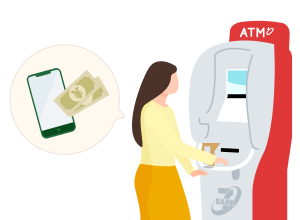
Smartphone ATM Service
With this service, you can deposit and withdraw cash on your smartphone, without using your cash card or passbook.
Money transfer via the app
You can make domestic money transfers using the My Seven Bank App. No fee is charged for a money transfer to a Seven Bank account via the app.
Account statement/Balance inquiry
- ・Account statement…You can check details of your ordinary deposit, time deposit, debit card service, and card loan service transactions.
- ・Balance inquiry…You can check your nanaco point/money balance.
ATM transactions
Seven Bank ATMs provide services for deposits, withdrawals, and various other transactions.
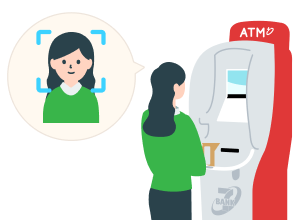
Facial Recognition Transaction Service, FACE CASH
By registering your face information with your account, you can deposit and withdraw money without using your cash card. With one of the world’s best facial recognition solution technologies, this service ensures safety for your transactions.
ATM Madoguchi
This service enables you to change your personal information registered with Seven Bank at a nearby Seven Bank ATM at any time on any day of the year.
Customers with foreign nationalities can also submit their renewed residence card via this service. You can also apply for the following procedures.
- 1.Change your registered address
- 2.Update your personal information: telephone number, email address, workplace, occupation, and purpose of transaction
Transactions via the Direct Banking Service
The Direct Banking Service enables you to apply for and use various services, such as reissuing a cash card and changing the registered personal information, at any time and place you choose, using your smartphone or computer.
If you use the International Money Transfer App, you can log on to the Direct Banking Service easily without entering your ID or password.
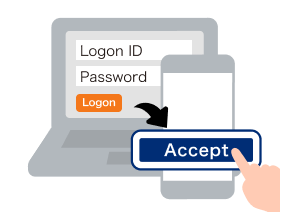
- *App authentication is required to use the Direct Banking Service.
About app authentication - *If you have not registered for the Direct Banking Service, please complete the registration using the app.
For more information on how to register, please checkIf you use the Direct Banking Service for the first time.
Learn about Accounts
We request our customers to follow a special procedure if they fall within the category of current or former foreign PEPs or family members thereof.
For details, see here.